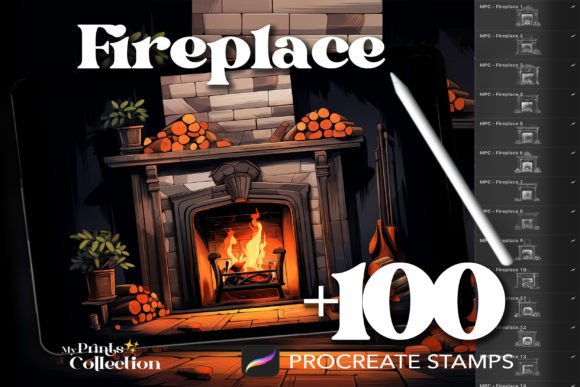
100 Procreate Fireplace Stamps: Elevate Your Digital Art with Warmth and Detail
There is a distinct challenge in digital illustration that often separates good artwork from truly captivating pieces: the atmosphere. A scene can have perfect lighting, accurate perspective, and beautiful colors, yet still feel cold or sterile if it lacks a focal point of warmth. This is where specialized assets become invaluable. The 100 Procreate Fireplace Stamps collection offers a solution for artists seeking to instantly infuse their digital canvases with the inviting glow of a hearth. Whether you are designing cozy book covers, creating pattern repeats for fabric, or illustrating storybook scenes, these stamps provide a shortcut to adding depth and emotion without sacrificing quality.
Understanding the Value of Specialized Stamp Sets
Before diving into how to use these tools, it is important to understand what makes a stamp set like this effective. Many beginners assume that a "stamp" is simply a low-resolution image pasted onto a canvas. However, high-quality Procreate brushes function differently. They are vector-based or raster textures optimized for the app's rendering engine, allowing for variable pressure sensitivity, opacity control, and layer blending modes.
The 100 Procreate Fireplace Stamps are designed as a .brushset file, meaning they integrate seamlessly into your workflow. Instead of manually painting every log, flame, and brick—which can be time-consuming and technically demanding for those less experienced with texture creation—you get access to a diverse library of pre-crafted elements. These range from rustic stone surrounds to modern minimalist designs, each capturing the delicate anatomy of fire and the structural charm of a fireplace.
Common Pitfalls When Choosing Digital Assets
While the convenience of digital stamps is undeniable, there are common mistakes creators make when selecting and applying them that can undermine the final result. One of the most frequent errors is ignoring resolution and scaling. Artists often grab a stamp and stretch it to fit a composition without considering the pixel density. If a stamp is too small and blown up, the edges will appear jagged or blurry, breaking the illusion of realism. Conversely, using a massive stamp on a small canvas can overwhelm the composition, leaving no room for other narrative elements.
Another overlooked detail is color matching. A common misconception is that a stamp comes with its own finished color palette. While many stamps include default colors, relying solely on them can lead to a disjointed look where the fireplace appears to be floating above the rest of the illustration rather than existing within the same environment. Failing to adjust the hue, saturation, and temperature of the stamp to match your scene's lighting can make the artwork look amateurish.
The Risk of Overusing Pre-Made Elements
There is also the danger of over-reliance. Using the 100 Procreate Fireplace Stamps repeatedly across different projects without modification can lead to a repetitive style. Clients and audiences may begin to recognize the exact same fireplace design in multiple places, which diminishes the perceived uniqueness of your work. This is particularly relevant for professionals selling illustrations or designers creating commercial patterns. The goal is to use these stamps as a foundation, not a crutch.
Furthermore, many users overlook the importance of layer management. Simply placing a stamp on top of a background layer rarely yields the best results. Without utilizing blending modes like "Multiply," "Overlay," or "Color Burn," the fireplace may look flat and two-dimensional. Understanding how light interacts with the surrounding environment is crucial; a real fireplace casts shadows and reflects light onto nearby walls and floors. Ignoring these physical properties makes the digital asset look like a sticker rather than an integrated part of the scene.
Strategies for Better Integration and Usage
To avoid these pitfalls and maximize the potential of your digital toolkit, a more thoughtful approach is required. Start by evaluating the scale of your project before importing the brush set. If you are working on a large mural or a high-resolution print, ensure the stamps you select maintain crisp details at that size. The 100 Procreate Fireplace Stamps are crafted for clarity, but proper scaling remains the artist's responsibility.
Once imported, treat the stamps as raw materials rather than finished products. Use Procreate's transformation tools to rotate, skew, or resize the elements to fit the perspective of your drawing. For instance, if your scene is viewed from a low angle, the fireplace should be adjusted accordingly to match the vanishing points of your room. This attention to perspective immediately elevates the quality of the piece.
Mastering Lighting and Blending
Color correction is equally vital. After placing your chosen fireplace stamp, create a new adjustment layer or use a soft brush with a low opacity to paint ambient light around the flames. Adjust the color balance to ensure the warm oranges and reds of the fire complement the cool tones of a winter night or the neutral tones of a living room. By masking parts of the stamp and repainting areas to match the specific lighting conditions of your scene, you transform a generic asset into a custom element.
Consider the versatility of the collection. The set includes various styles, so do not limit yourself to one type. Mix and match elements—perhaps use a stone surround from one stamp and the flame effect from another—to create a unique combination that fits your specific vision. This hybrid approach prevents the "cookie-cutter" look and demonstrates a higher level of artistic skill.
Evaluating Compatibility and Workflow Efficiency
Before making a purchase or download decision, verify compatibility. Ensure your device runs a version of Procreate that supports the latest brush formats. While the 100 Procreate Fireplace Stamps are designed for broad compatibility, older versions of the app may struggle with complex brush settings, leading to lag or missing features. Always check the product description for system requirements.
Efficiency is another key factor. One of the primary benefits of this set is the instant download feature, eliminating the wait times associated with shipping physical goods or waiting for email attachments. However, efficiency should not come at the cost of organization. Once downloaded, import the .brushset file immediately and organize it within your Procreate library. Creating a dedicated folder for seasonal or thematic stamps ensures you can find the right fireplace design quickly when inspiration strikes, keeping your creative flow uninterrupted.
Final Considerations for Creators
Ultimately, the value of the 100 Procreate Fireplace Stamps lies in how effectively you integrate them into your broader artistic practice. They are powerful tools for enhancing illustrations, tattoos, patterns, and marketing materials, offering a delightful touch of nature and comfort to any digital creation. However, their success depends on your ability to adapt them to your unique needs.
Avoid the trap of thinking that a stamp does all the work. Instead, view it as a collaborative partner in your creative process. By paying attention to scale, lighting, color harmony, and perspective, you can transform these digital assets into seamless components of stunning artwork. Whether you are a hobbyist looking to add a cozy corner to a personal sketch or a professional designer needing to deliver high-quality commercial art, understanding these nuances will help you achieve superior results. Remember, the best digital art looks handcrafted, even when it utilizes smart shortcuts. With careful application, these stamps will help you build a portfolio that radiates warmth and professionalism.